Over the past year, the HERO Monitor has evolved from a small helper tool into a feature-rich orchestration interface.
With the latest major refactor and the addition of many new features, the HERO Monitor makes it easier than ever to interact with the HEROs in your network.
Views #
Previously, the monitor used the same generic GUI for every HERO. Since every HERO is an object, looking at it as a generic object with all its methods, attributes, and events makes sense. However, most HEROS are at the same time more specialized things, such as cameras or BOSSes. Thus, we introduced HERO views in addition to the generic view. The following views are so-far implemented
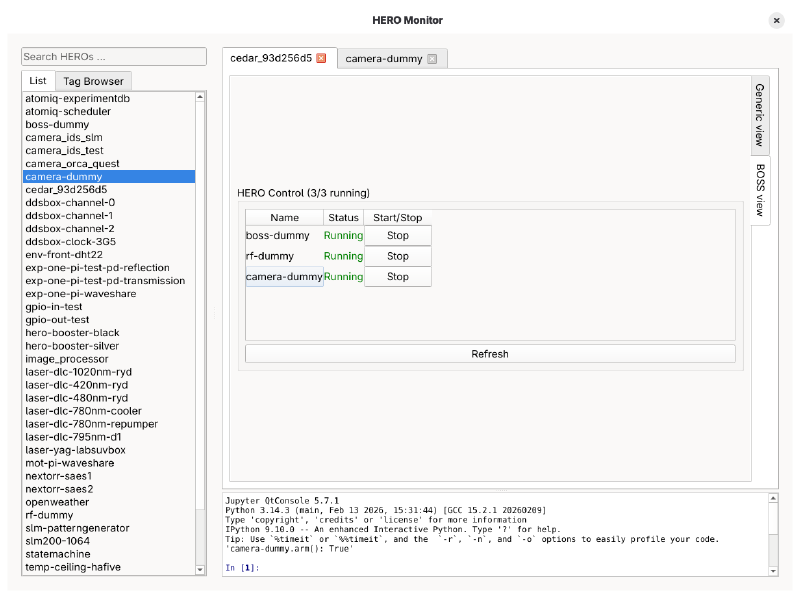
BOSS View
The BOSS view displays the status of all the HEROs it is running and allows you to conveniently start or stop them.
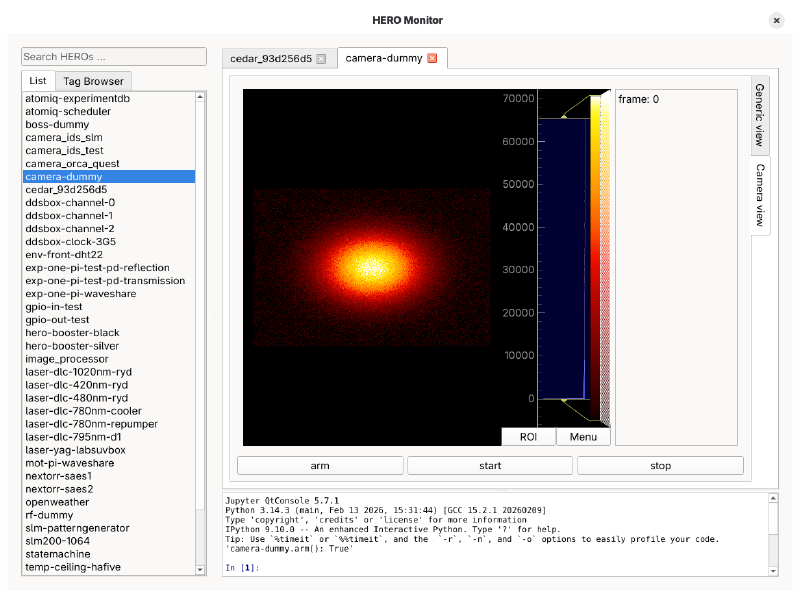
Camera View
The camera view implements the same functionality as the HERO Image Viewer, displaying pictures captured from the
camera.
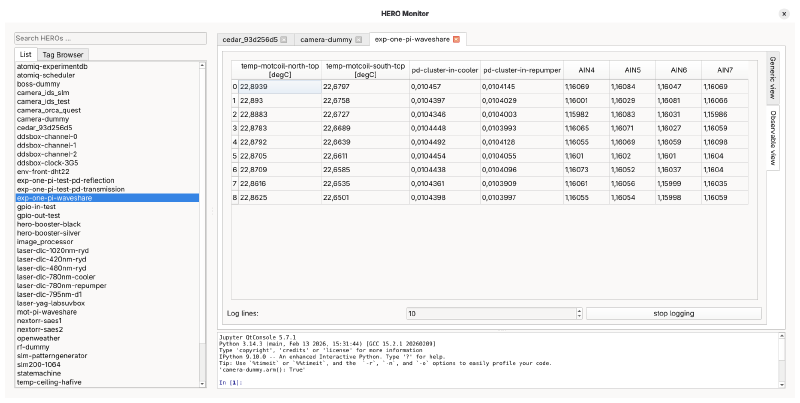
Datasource View
The datasource view is available for all HEROs that provide observables.
After pressing the Start Logging button, the latest observable data is collected and shown in the table.
Tag Browser #
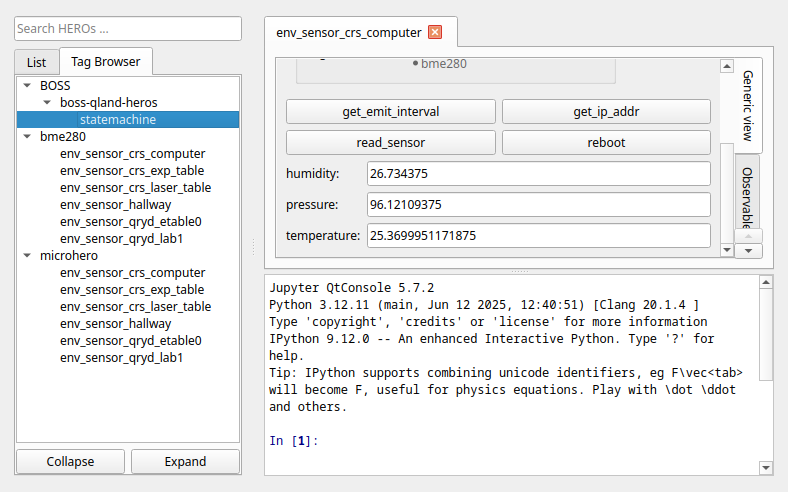
As the number of HEROs grows, navigating the sorted list browser becomes increasingly difficult. Therefore, we introduce the tag browser, which sorts the HEROs by their tags. Some tags are auto-generated (e.g. if the HERO belongs to a BOSS), but you can also add your own tags for your convenience.
Just add them via the tags keyword in your JSON description. Tags are
strings with (:) as separators to create a tree structure. For example in the example picture, the statemachine has
the (auto-generated) label BOSS:boss-qland-heros:statemachine.